
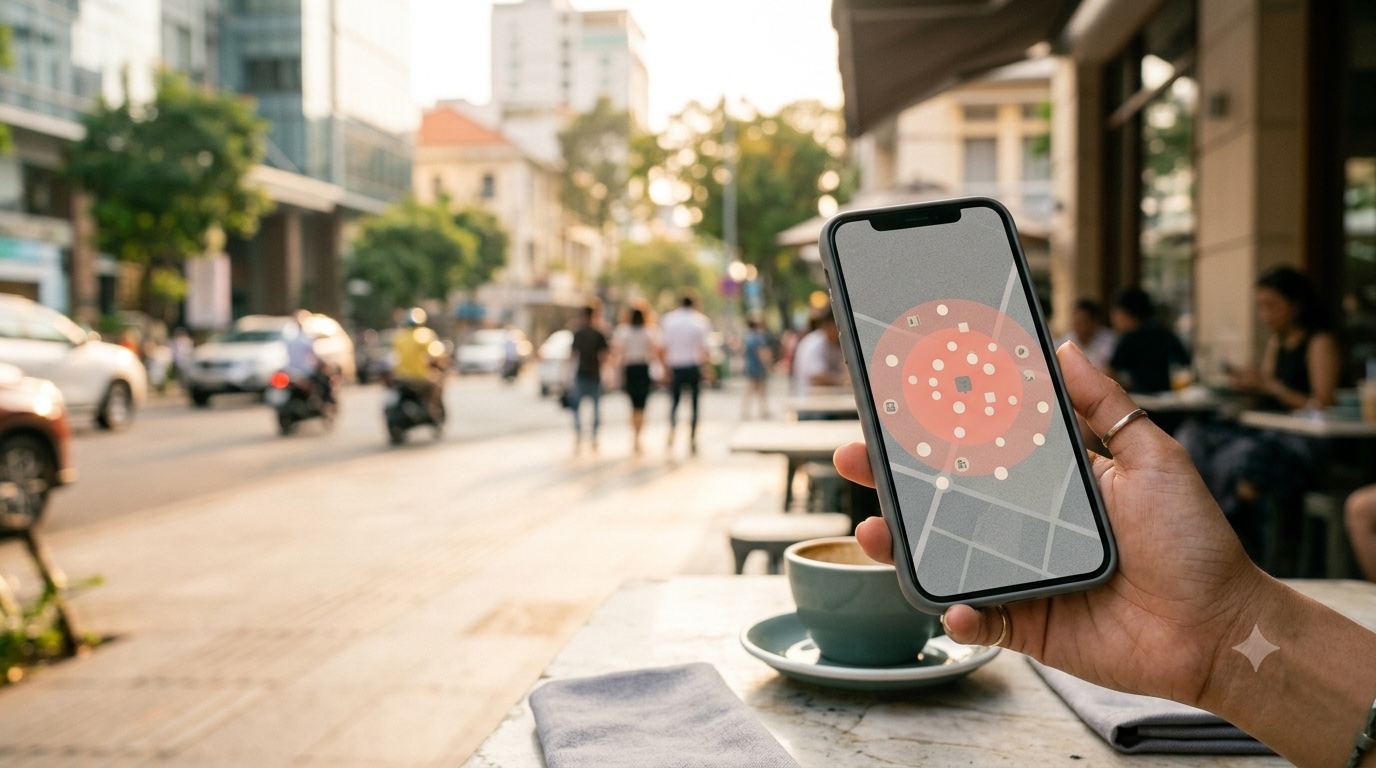
A geolocation dating app is a dating platform that uses a member’s device location — GPS coordinates, IP address, or a chosen city — to discover, filter, and rank potential matches by physical distance. Its signature feature is radius search, which lets members set a maximum distance (say, 10 km) and see only the profiles inside that circle, closest first.
Location is the feature that converts online interest into real-world dates. A match a hundred miles away rarely becomes a relationship, while a match two streets over can lead to coffee the same week. That is why nearby matching correlates so strongly with engagement: it shortens the gap between ‘we liked each other’ and ‘we actually met.’
How a Geolocation Dating App Works
Most location-aware dating platforms follow the same underlying flow. Understanding it makes the privacy trade-offs much easier to reason about:
- Capture a location. The app reads the device’s GPS coordinates, falls back to IP geolocation, or uses the city the user entered when they signed up.
- Store it with the profile. The location (or a fuzzed, less-precise version of it) is saved against each member record so it can be queried at scale.
- Apply the radius filter. The user sets a maximum range. The system only returns profiles whose distance from the searcher is inside that range.
- Sort by distance. Results are ordered nearest-first so the top of the feed feels immediately actionable.
- Combine with other filters. Radius typically works alongside age, gender, and interest filters so that ‘nearby’ and ‘compatible’ both hold at once.
Under the Hood
Distance between two users is usually computed with the haversine formula, which finds the great-circle (straight-line) distance between two latitude/longitude pairs. For performance, a geolocation dating app rarely scans every user on every request. Instead it draws a bounding box around the searcher’s radius and uses a database geospatial index to pull only the candidates inside that box, then refines with exact distance. This is why the same feature can feel instant whether the database holds 1,000 or one million members.
Three Building Blocks of Location Matching
1. Radius Filters
A radius filter is a user-controlled maximum distance. It’s the most common geolocation feature because it hands control directly to the member. A suburban user might set 50 miles, while a city user with great transit might set 5. Radius filters deliver the ‘nearby dating app’ experience people expect, and they’re cheap to implement once location is stored with the profile.
2. City- and Country-Level Matching
City-level matching groups members by locality rather than precise points. It’s more private (a city reveals far less than a street), more stable (location doesn’t jitter as the user moves), and often better for search and SEO-style discovery. Country-level matching broadens the pool, which matters when a niche has fewer members locally. Many platforms use both: a precise radius for the swipe feed and a city/country filter for deeper search.
3. Privacy Controls
Location is sensitive data, so a well-built geolocation dating app puts members in charge:
- Fuzzy location / offset. Shifting the displayed location by a random amount so a stranger can’t triangulate a home address.
- Show city, not address. Displaying ‘Austin, TX’ instead of a map pin.
- Hide distance. Letting a user keep near-matching but hide the exact-mile figure.
- Opt-out. Allowing location sharing to be turned off or cleared at any time.
These controls are what make location features defensible from both a trust and a regulatory standpoint. A dating app that shows an exact drop-pin with no way to hide it is a privacy liability — and a compliance problem under rules like GDPR. For that reason, location design should pair every ‘show me nearby’ feature with a matching ‘hide my precise location’ one, as covered in a dating app legal and compliance checklist.
Key Benefits
| Benefit | Impact | Example |
|---|---|---|
| Nearby matches by default | Higher real-world meetup rate | Users see local people first instead of distant profiles |
| Radius filter control | Better match relevance | A user sets 15 km and only sees commutable matches |
| City/country matching | Scales a niche pool | Country-level search fills a sparse niche category |
| Privacy controls | Trust and compliance | Fuzzy location stops home-address triangulation |
Real-World Example: The Niche Meetup Problem
Imagine an LGBTQ+ dating platform launching in a mid-size city. The total member base is solid, but if users are shown alphabetically, most of the faces they see are in other cities — and the app feels dead. The fix is location. By defaulting to a nearby feed and letting members widen a radius filter when they want more options, the app immediately feels populated with people they could actually meet. Grindr built its brand on exactly this model, and it’s a pattern founders consistently try to replicate when they launch an LGBTQ+ dating app.
How MooDatingScript Implements Location
MooDatingScript, a self-hosted PHP dating script, bakes location into its matching and discovery rather than treating it as an afterthought. Its location-based matching works alongside the interest and behavior signals the engine already uses, and its advanced search filters support location at the country and city level, alongside age range, gender preference, and lifestyle tags. The discovery stack also includes swipe-based Like/Pass matching, popularity ranking, and activity-based recommendations — so nearby candidates get surfaced inside a full engagement loop rather than a bare search box. Because the full source code is included with the $149 one-time licence, owners can customise how location behaves on their specific build, including how precise or private they want the matching to be. Choosing how to fine-tune that location behaviour ties directly into how the platform’s dating app matching algorithm is configured.
Comparison: How Major Apps Approach Location
| Product | Implementation | Privacy nuance |
|---|---|---|
| Tinder | GPS radius filter plus a paid ‘Passport’ to browse other cities | Shows approximate distance; no live street map of users |
| Bumble | Same-device GPS with a distance slider | Distance display can be hidden within settings |
| Grindr | Grid sorted by precise distance | Historically displayed exact distance — a cautionary privacy case |
| Hinge | Dealbreaker distance + neighbourhood/city display | Uses neighbourhoods rather than exact points |
| MooDatingScript | Location-based matching plus country/city search filters | Owner-configurable via full source code access |
When You Need Geolocation Features
Use this when:
- Your audience is intended to meet in person, not just chat.
- You’re launching a local or city-focused platform and need the feed to feel populated.
- You want a swipe-style ‘nearby matches’ feed as the default landing experience.
- You’re building a niche community that’s sparse nationally but dense in certain cities.
You don’t need this if:
- Your platform is intentionally global and distance-blind (for example, strictly long-distance pen-pal or international friendship matching), where a radius filter would artificially shrink an already-thin pool.
When location is a fit, it also pairs well with the broader practice of targeting a focused audience — which is the same logic behind choosing a niche dating app idea in the first place. And because most location-aware dating platforms are accessed on phones, the mobile experience — typically delivered as a lightweight PWA for dating apps rather than a native build — matters as much as the backend distance math. On MooDatingScript, PWA setup is a $100 one-time add-on to the licence, not part of it.
If you want to see location-based matching, country/city filters, and nearby discovery working together before you commit, start with the MooDatingScript demo.